 Screen Markup
Pen and mouse for your PC
Draw on your PC screen from your phone.
Circle it. Point at it. Click it. From any phone or tablet, with nothing to install on it.
- No card needed
- No cables
- Works in Teams, Zoom and Meet
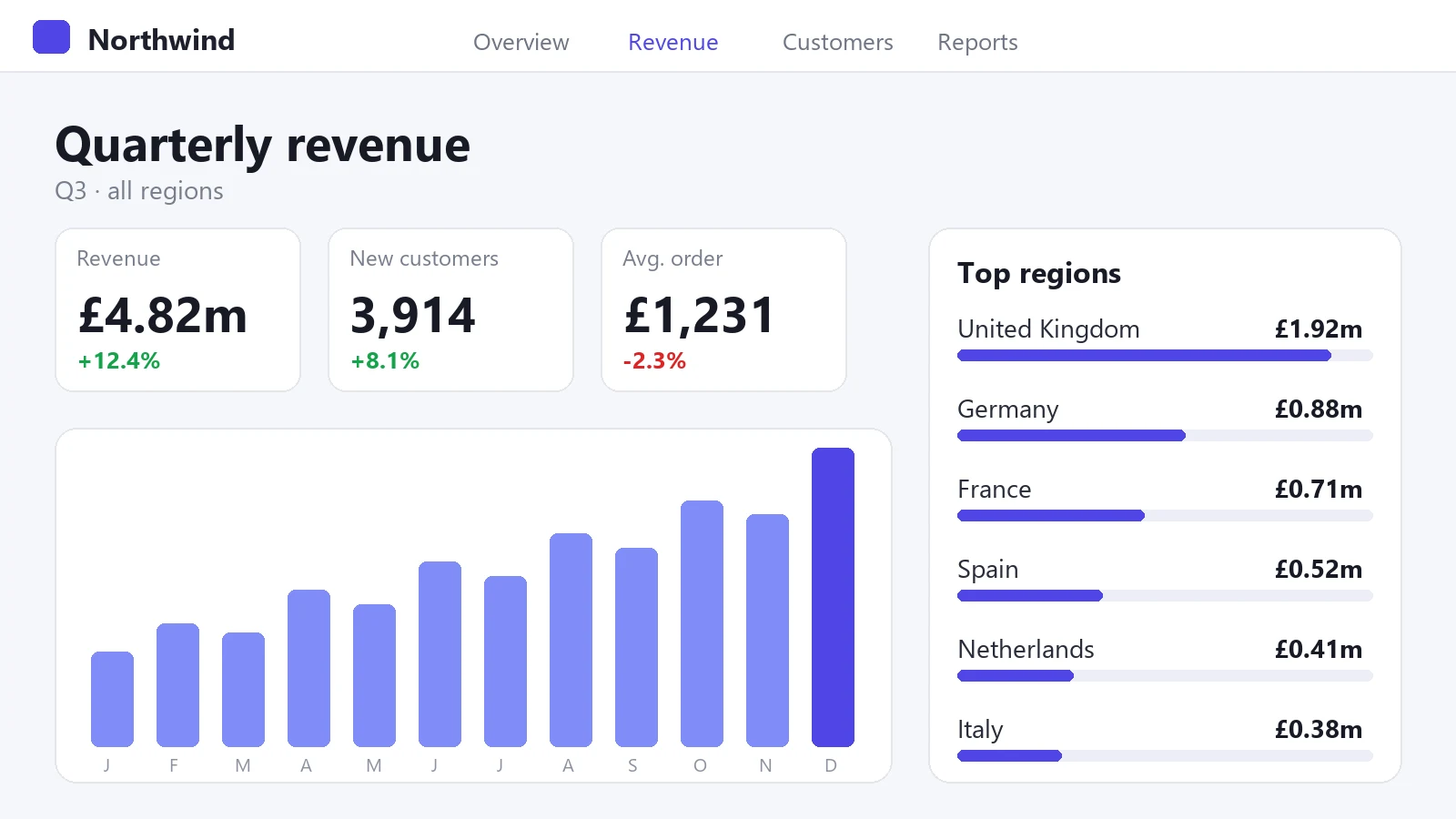
What is Screen Markup?
Screen Markup is a Windows program and a web page that work as a pair. Enter the code your PC shows on your phone or tablet, and you can draw over everything on the PC screen, or use the phone as its mouse.
Connected in under a minute
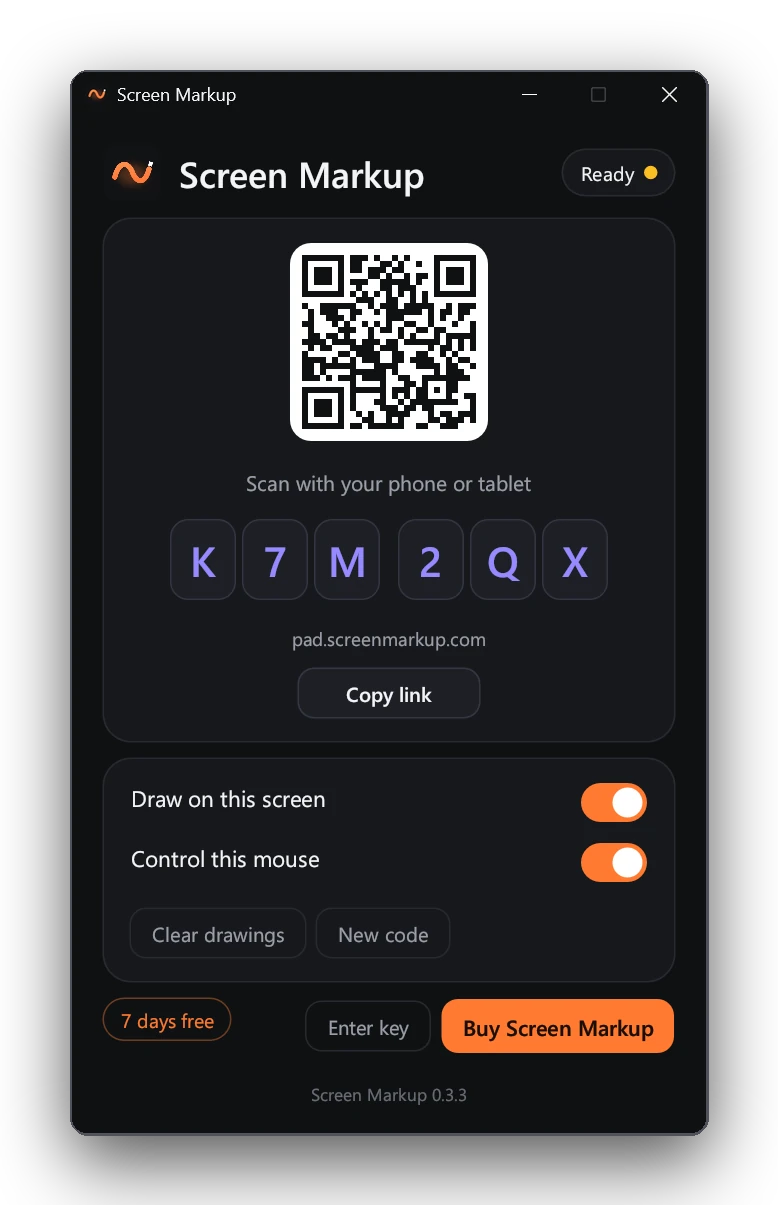
Open Screen Markup on the PC
It shows a code.
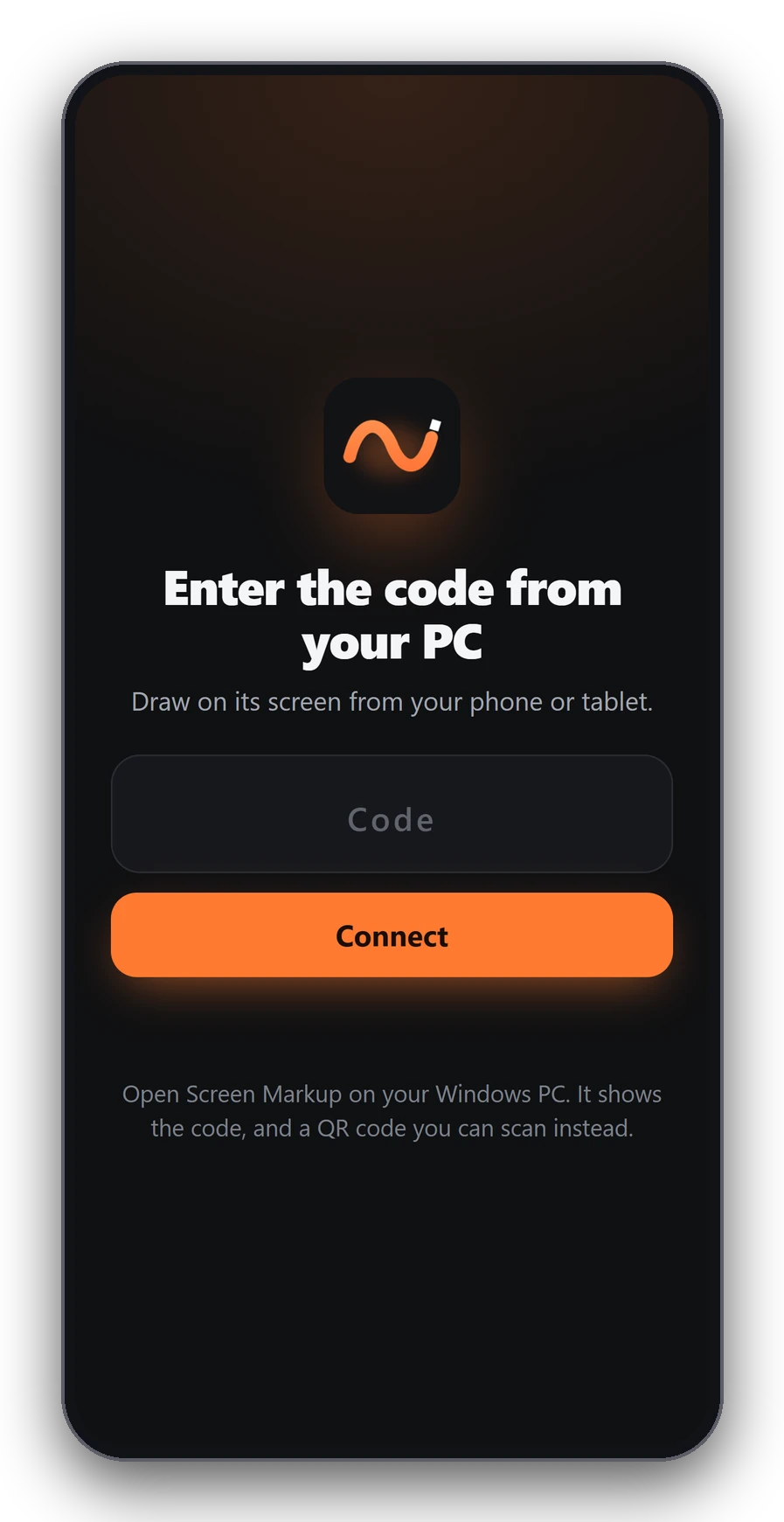
Enter the code
On your phone or tablet.
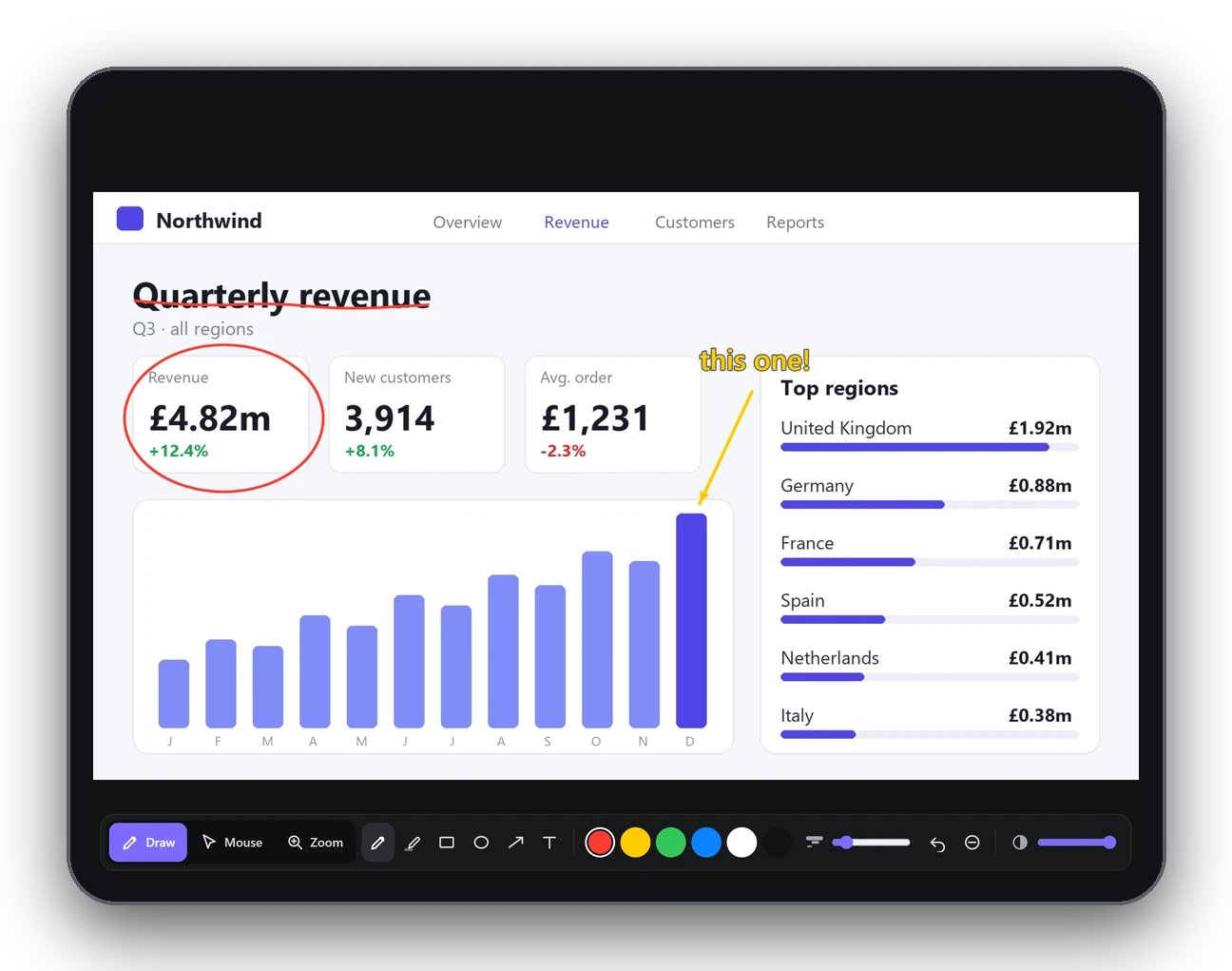
Draw
It appears on the PC at once.
Two modes. One tap to switch.
Draw
Pen, highlighter, shapes, arrows and text, over anything on the screen.
Mouse
Your finger moves, clicks, drags and scrolls the PC's mouse.
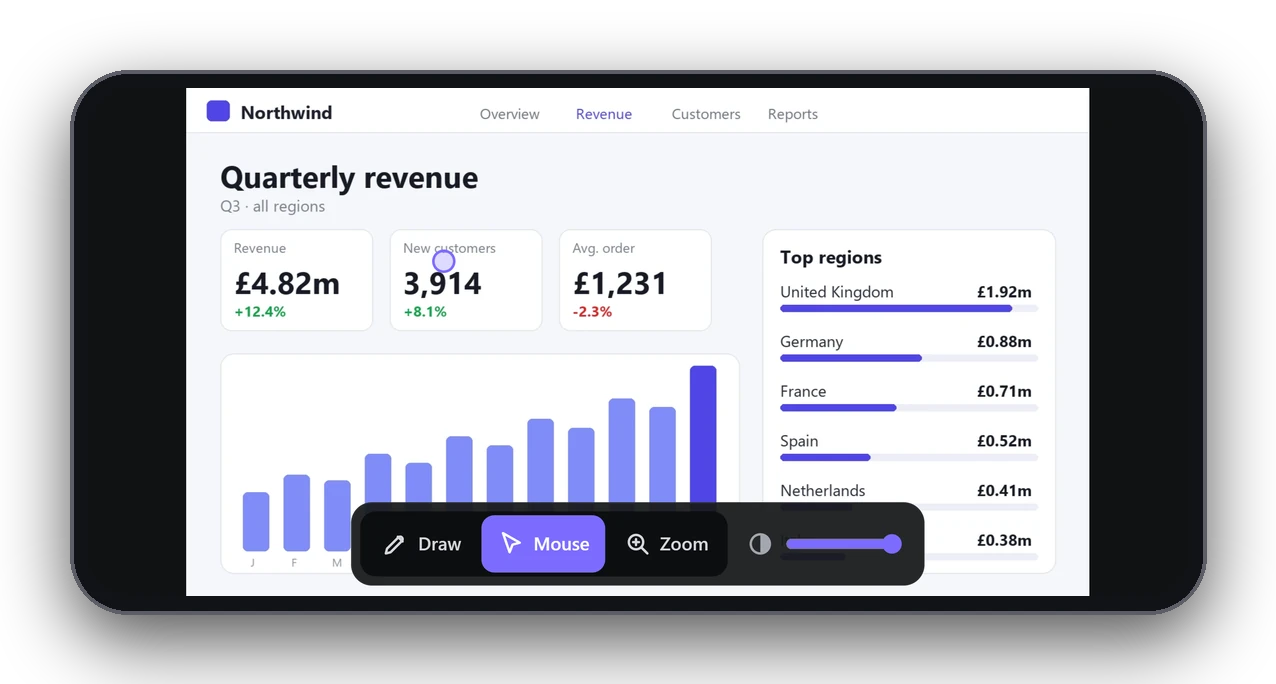
Built for the moment you need to point
Live view
The PC screen on your phone, with a ring where the pointer is.
Smooth ink
Pens and pencils draw clean curves, pressure included.
Any network
Same Wi-Fi, other Wi-Fi or mobile data. No setup.
Click-through
The ink never gets in the way of your work.
Fade the view
Dim the mirrored screen to see your drawing clearly.
Nothing saved
Clear the screen from either end.
Made for people who explain things on a screen
Teaching
Mark up slides while you walk the room.
Presenting
Circle the number. Point at the chart.
Workshops and demos
Everyone sees your drawing on the shared screen.
Sales calls
Highlight the line that matters as you talk.
Streaming and video
Annotate live with a pen, not a mouse.
IT support
Draw the arrow, then take the mouse.
Screen Markup vs the paid alternatives
Each does one part well. Screen Markup does the whole job from the phone you already own.
| Screen Markup | Epic Pen Pro | Duet Display Pro | Remote Mouse Pro | |
|---|---|---|---|---|
| Draw over your PC screen | Yes | Yes | Partly | No |
| Draw from a phone or tablet | Yes | No, on the PC only | Yes, tablet and pen | No |
| Use the phone as the PC's mouse | Yes | No | Touch on a tablet display | Yes |
| Works remotely, on any network | Yes, over the internet | Not applicable | No, cable or same network | No, same network |
| Price | £10 a year | About $23 | About $80 a year | About $15 |
Prices are what app stores and review sites listed on 17 October 2026, and vendors change them, so check before you buy. Epic Pen Pro is listed either as a one-off or as a yearly price; Duet's yearly price is $80 to $84 depending on where you look.
One simple price
Cancel any time. No lock-in.
Start your free trial Buy: £10 + VAT a yearThe trial runs in the app. No card, no account.
30-day money-back guarantee. Secure checkout by Paddle.
Prices shown in your local currency. VAT or sales tax is added at checkout where it applies.
Or pay £25 + VAT once and keep it for lifeEducation and teams: get in touch
- Draw and mouse modes
- Unlimited phones and tablets
- All updates while you subscribe
- Windows 10 and 11
- Cancel in two clicks
Your screen stays yours
A live picture of your screen and your drawing pass through our encrypted relay and are never stored. Only someone with your code can join, and you can change it at any time.
Questions
Does Screen Markup work with an iPad, iPhone or Android?
Yes. The phone side is a web page in the browser on an iPhone, iPad, Android phone or Android tablet. Add it to the home screen to open it full screen. Nothing comes from an app store.
Which computers does it run on?
Windows 10 and Windows 11 PCs. Not Mac.
Do the PC and the phone need the same Wi-Fi?
No. Both connect over the internet, so they can be on different networks, or the phone can use mobile data.
Is it safe? Who can see my screen?
Only devices with your six-character code. Your screen picture and input pass through our encrypted relay and are never stored. Change the code at any time or switch off mouse control.
Can people on a video call see my drawing?
Yes, if you share your screen. The ink is part of what you share, in Teams, Zoom, Google Meet or OBS.
What happens after the free trial?
Screen Markup asks you to subscribe for £10 a year. Nothing is deleted and your settings stay.
How do I cancel?
Use the link in your Paddle receipt email. You keep Screen Markup until the end of the period you paid for, and can ask for a refund within 30 days.
Can I use it on more than one PC?
One subscription covers one person on their own PCs. Teams need a subscription each.
Does it work with a second monitor?
At the moment it works with your main monitor.
Does it check for updates?
Yes. It checks when it starts and offers a download button when a new version is ready.
Download Screen Markup
Windows 10 and 11, 64-bit. About 7 MB. Version 0.3.5.
If Windows asks you to confirm, choose More info, then Run anyway. Then follow the code on its window.
Draw on your next call
Download, open the page on your phone and start drawing in under a minute.
Free 7-day trial